Ask a concrete question
Pick a source and describe the issue. Add the tenant, time range and business definitions that matter.
 OpsGraph1.0.0
Use database AI to investigate missing records, failed payments and stuck jobs in PostgreSQL. Ask a question, then inspect the SQL and saved results behind the answer.
One operator. Read-only queries. Your choice of model.
Why are payments failing?
fastpay · gateway_timeout
The grouped results record 50 failures for this processor. They do not establish why the gateway timed out.
| Processor | Status | Count |
|---|---|---|
| fastpay | failed | 50 |
| fastpay | succeeded | 450 |
| steadypay | succeeded | 500 |
Illustrative summary of the included practice dataset. Run the case with your selected model to inspect its actual answer.
01 / From setup to a first answer
You do not need to write SQL or edit configuration files for the guided setup. First, try database AI with practice data before connecting a database you care about.
Before you start
Install Git and Python 3.9 or newer. Practice data also needs local PostgreSQL 15–18 tools or Docker Desktop. Bring a model API key, or a running local model with its model files already downloaded.
git clone https://github.com/Arittra-Bag/opsgraph.git
cd opsgraph
python3 Start.py --no-codegit clone https://github.com/Arittra-Bag/opsgraph.git
cd opsgraph
py Start.py --no-codeThe published image runs OpsGraph. It does not install your database or model. Docker Compose is included in the repository at deploy/compose.yaml.
First create private configuration and check service addresses ↗
docker pull ghcr.io/arittra-bag/opsgraph:v1.0.0Or build from a checkout. After configuring its private .env as described in the guide, run from the repository root:
docker compose --env-file .env -f deploy/compose.yaml config --quiet
docker compose --env-file .env -f deploy/compose.yaml up --build -d
docker compose --env-file .env -f deploy/compose.yaml psPractice mode creates a separate database with invented orders and payments. Your existing databases stay separate.
Enter your model name and key if needed. External processing requires your permission. No model files are downloaded automatically.
Approve the tables and small test read. In Settings, test the real model connection. Then ask your first question.
Already cloned? Run only python3 Start.py --no-code from the repository. Use the same command to reopen your saved no-code workspace. Prefer an offline bundle? Download 1.0.0 and read its installation guide ↗
02 / The actual workspace
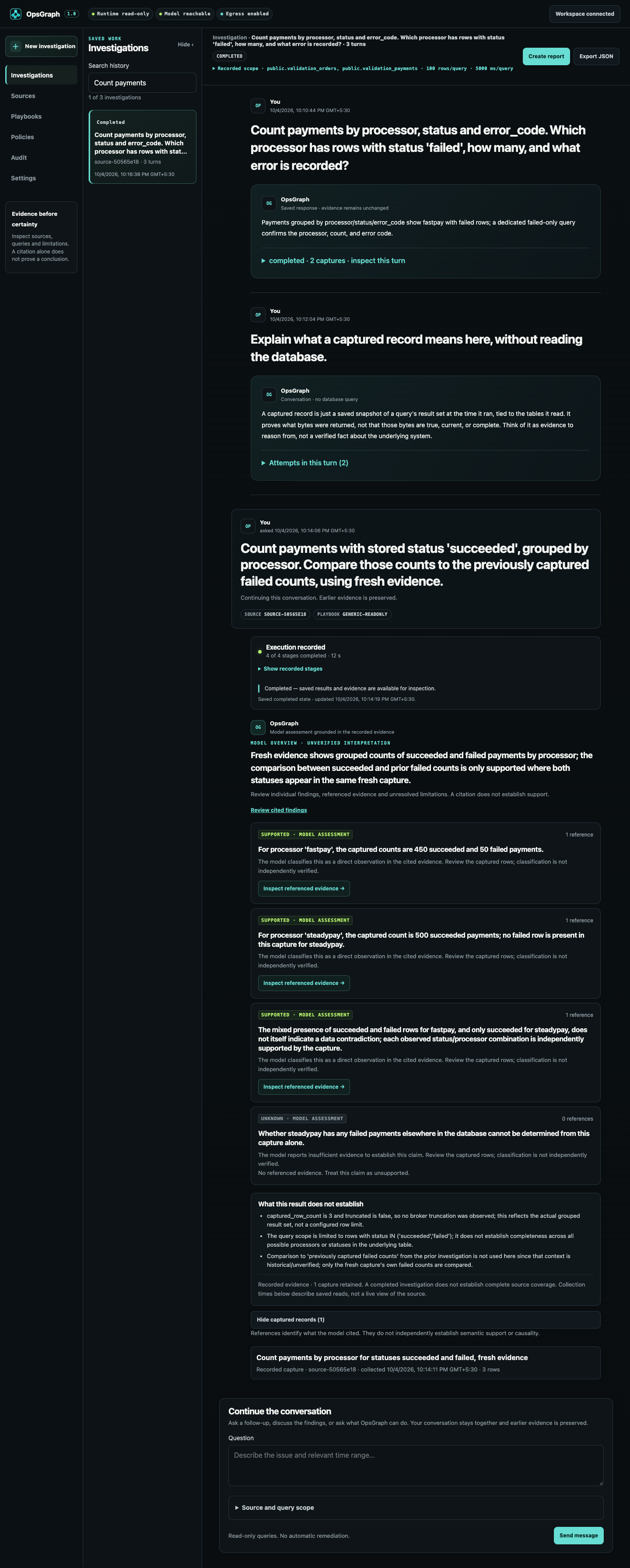
Keep follow-up questions in the same conversation. Each investigation turn keeps its SQL, captured records and limits. Export a readable Markdown report when another engineer needs the details.

Pick a source and describe the issue. Add the tenant, time range and business definitions that matter.
Your model proposes SQL. OpsGraph checks table access, read-only rules and query limits before running it.
Inspect the actual query and captured rows. A citation identifies evidence. It does not prove a conclusion.
Test another explanation in the same conversation, or export the selected evidence and findings as a report.
03 / A useful first question
Choose Try with practice data during setup. Once source and model checks pass, paste this question into a new investigation.
The expected grouped results contain 50 fastpay failures with gateway_timeout, 450 fastpay successes and 500 steadypay successes. Compare the model's answer with its captured SQL results.
Count payments by processor, status and error_code. Which processor has failed payments, how many are there, and what error is recorded? Cite the evidence.
Invented data, not a live service or a model accuracy benchmark.
04 / Bring your own database
Local or hosted, use a dedicated login that can read only approved tables. The setup guide changes with your hosting choice. Every connection must pass its actual checks.
Choose Connect my database, select where it runs, then paste the connection string. Its password is hidden. Discover tables, choose what may be read and verify access.
Select Show setup steps or type ? in the visible connection menu. You will see provider steps, an example and the official guide. You can also finish database setup later.
Ask your database administrator to create it. Sources includes a role guide and a scoped SQL script for them to review. OpsGraph does not use an owner account to create access for itself.
Remote connections verify the server certificate. Hosted guidance is not certification of every endpoint or network. Read the provider connection guide ↗
Clear expectations
With your approval, it installs OpsGraph and locked dependencies, prepares an isolated practice database if you choose that route, saves private settings and opens your local browser. It may download a compatible Python runtime. It does not install a model service or model files. You supply the model connection.
Yes, with an already installed local model service and a local PostgreSQL database. Hosted models require explicit permission before evidence leaves the backend. Model keys and database credentials stay on your OpsGraph backend.
Investigation queries are read-only. Approved table scope, SQL validation, query limits and read-only transactions are enforced by the application. Your database role must also prevent writes. Database repairs and automatic remediation are not included.
Yes, connect a PostgreSQL database using a dedicated read-only login. You do not upload the full database to OpsGraph. Queries have row, time and count limits. Explain the data's meaning and start with a narrow question. Large datasets may need indexes and tighter filters.
No. Provider OAuth is not implemented. You need a PostgreSQL connection string and a dedicated read-only database login. A Supabase API key or a provider browser session is not a database password.
Reports do not automatically redact sensitive records. Choose which sections to include, inspect the SQL and findings, and remove anything you should not share. Model conclusions are not independently verified. Missing business definitions can change the interpretation.
OpsGraph uses database AI for read-only PostgreSQL incident investigations with retained query evidence. Other tools serve broader data analysis and application workflows. Read the database AI guide and DB-GPT comparison.
One trusted operator in a private, self-hosted workspace. Keep it on loopback or a private network. Team accounts, other database engines and automatic database tuning are outside the current scope. The support matrix separates real database checks, provider fixtures and model quality validation.
Read the support matrix ↗Start with something you can verify
Try database AI with the practice case. Inspect the records, then bring your own database when you are ready.
Start the guided setup →